Case Study
Documenting a Design System in the AI Era
Product: Design System Tooling | Timeline: Ongoing Production Exploration | Role: Design Systems Lead & AI Tooling
An ongoing exploration in design system tooling — built and shipped in production at a Fortune 100 retailer.

"Use AI to make the constraint space of a component visible. Then make the designer calls about which constraints are hard, which are soft, and which are noise."
The through-line across four working prototypes.
The Bottleneck
Most design systems are well-componented and under-documented. The components ship. The documentation slips. Specs get written under deadline pressure for one audience at a time, in inconsistent formats, with the deeper governance work — contribution rules, content guidelines, vendor briefs, accessibility requirements — perpetually deferred. The library grows, the documentation rots, and the system loses the trust it needs to scale.
I noticed this pattern across multiple components I was documenting on a 4-person design systems team. Each spec took roughly 90 minutes to write from scratch. The structural parts — anatomy, states, tokens, responsive behavior, accessibility notes — were about 70% of the work, and they followed the same logic every time. The remaining 30% was judgment: when to use which variant, what counted as a hard rule versus guidance, what content was permitted and what its limits were.
The interesting question wasn't whether AI could write the structural 70%. The interesting question was what would happen to a design system team's capacity if it could.
Four Prototypes
I didn't set out to build four tools. I set out to build one. Each prototype was a response to a specific failure mode of the previous one.

Bento Hero Card in authoring mode. 10/10 rules passing. The rules panel is itself a documentation artifact.
SpecFlow
Multi-audience spec generationA Claude skill that runs against a Figma file, performs a multi-phase crawl, and generates audience-segmented spec documentation in our team's house format. Output lands in our docs platform as paste-ready markdown — one tab per audience: UX designers, developers, content merchandisers, accessibility reviewers, vendors, analytics.
What it taught me
Structural extraction from Figma is mostly solvable, but the right architecture is a Figma plugin for deterministic extraction + REST API for token lookups + LLM only for the parts that genuinely require reasoning. SpecFlow proves the workflow concept; the proper version is a different build.
asset-spec-guideline
Vendor brief generatorA separate skill that produces vendor-facing one-pager HTML documents — the kind of artifact that gets emailed to a third-party creative partner who needs to deliver an image asset. Output is a printable spec sheet with anatomy diagrams, copy-fields tables, delivery requirements, subject-placement rules, and a pre-flight checklist.
What it taught me
The auto-generated version was thorough. It covered everything. The team didn't ship it. They shipped a simpler hand-made version produced after working through the feedback. That outcome was the most important thing I learned across all four prototypes.
CollectionEditorial stress-test
Configuration test matrixA working Figma Make file that renders every valid configuration of the CollectionEditorial component as a live, scrollable test matrix — bucketed into three tabs: Valid Combinations, Not Allowed (Insufficient Gap), and Invalid (Mixed Tags). Collapsed 320 possible configurations to 96 by analyzing which variables actually changed layout.
What it taught me
The bucketing taxonomy — Valid / Insufficient Gap / Mixed Tags — is itself a small design artifact. It's a vocabulary for talking about configuration legality that didn't exist on the team before, and now does.
Background safezone calculator
Content-aware geometryA workflow that reasons against the rendered geometry of a card — measuring where the background pattern lives in pixel space, where corner tags sit, where the text plate extends, where the grid begins — and computes the safe zone for a vendor's image as the residual region. Per-submission, based on actual content.
What it taught me
"This is cool, but we don't work like this yet." The tool was real and the idea was right; the surrounding workflow wasn't ready for it. The prototype outpaced the org. That's its own kind of finding.
The Boundary I Actually Found
When the auto-generated asset spec didn't ship, my first instinct was to defend it: the version I made was more thorough; it covered everything. That was true and beside the point. The version that shipped was simpler, written by hand, and right for the audience.
But there was a second, deeper reason it didn't ship. Working through the feedback, I hit the safezone problem. Defining where a vendor can push design and where they can't isn't a structural fact you can extract from Figma. It required a conversation with another designer about creative latitude — about what the brand would tolerate this quarter, about which constraints were hard rules and which were at-risk zones a smart vendor could push into. The auto-tool couldn't have that conversation. The conversation has to happen between people.
"That's where the human in the loop is. Not as a fallback when AI fails. As the actual function."
A design system that only encodes hard rules constrains design. A system that encodes rules + at-risk zones + the ongoing conversation about where to push enables design. AI handles the structural plumbing fast enough that designers have time for the conversations the system actually needs. That's the reframe.
What This Means for Design Systems Work
The interesting question isn't whether AI can write specs. It can, badly, today, and probably well within 18 months. The question is what design systems teams do with that capacity.
Less production
Anatomy-writing, state enumeration, token extraction — AI handles this faster and more consistently than a designer at deadline.
More curation
What gets documented, how it's framed, which constraints are hard rules vs. guidance — these are judgment calls that require a person.
Less throughput pressure
If a single designer can document 5× more components, the wrong answer is to ship 5× more system.
More strategic work
Governance, contribution review, adoption, the conversation about where rules become guidance — this has always been undersupplied.
The Reframe
AI doesn't shrink design systems teams. It changes what designers on those teams do with their time.
Automate the plumbing. Leave the judgment.
Happy to walk through any of the prototypes in more detail, the failure modes, or the broader implications for design systems work.
More Work

E-Commerce × Systems
Elevating E-Commerce Experience
Multi-day design sprint transforming core retail surfaces into a scalable, premium framework.

E-Commerce × Mobile
My List at Albertsons
From KTLO mode to a +4% engagement lift — a two-phase redesign of the List surface.

Internal Tool × Albertsons
Image Cropper Tool
AI-powered batch image processor with automated focal point detection.
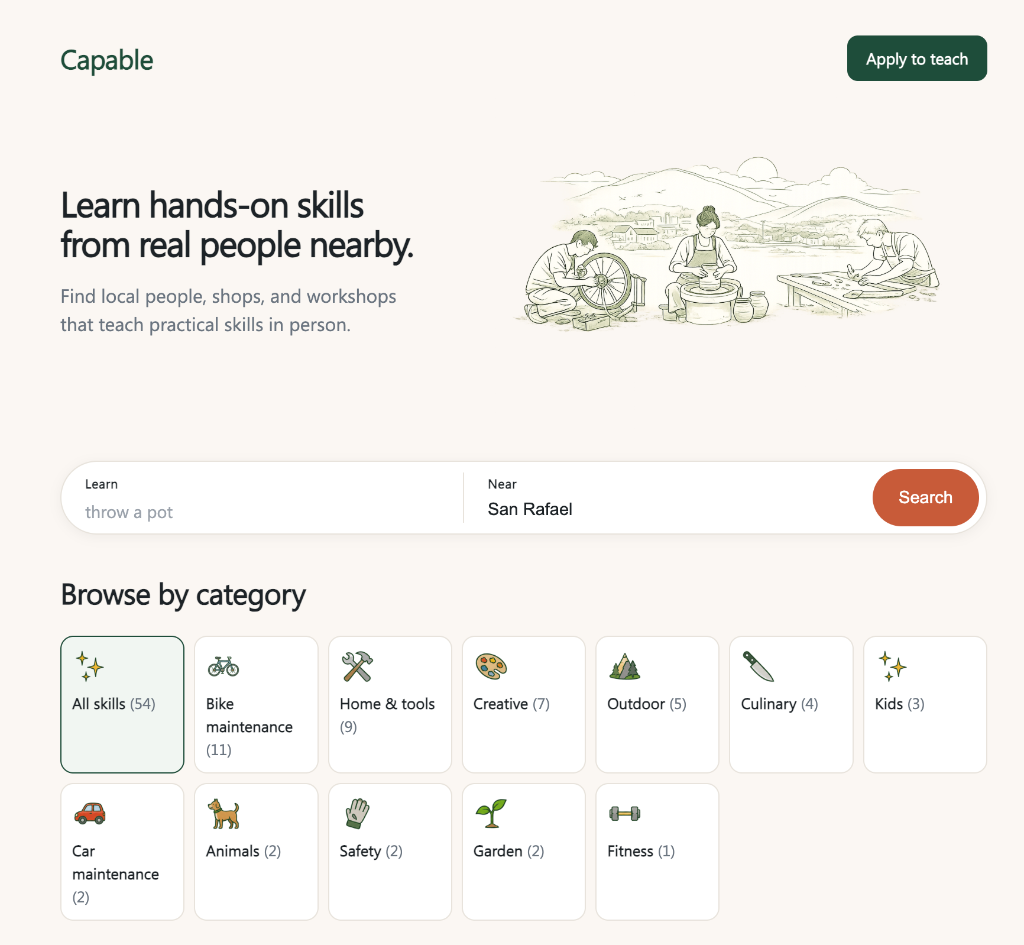
Marketplace × Local
Capable
A free, skill-first directory of local, in-person, hands-on classes — and the early signals that real people want it.

Brand & Web Strategy
JP Events
Microcopy-led redesign for a South Asian wedding planning firm.

Mobile Web
storr
Social commerce platform focused on connecting buyers with people.

E-Commerce
Beauty Box
Subscription box landing page and onboarding for Macy's.

iOS & Android
Mobile Checkout
Scan items and complete purchases directly within Macy's mobile app.